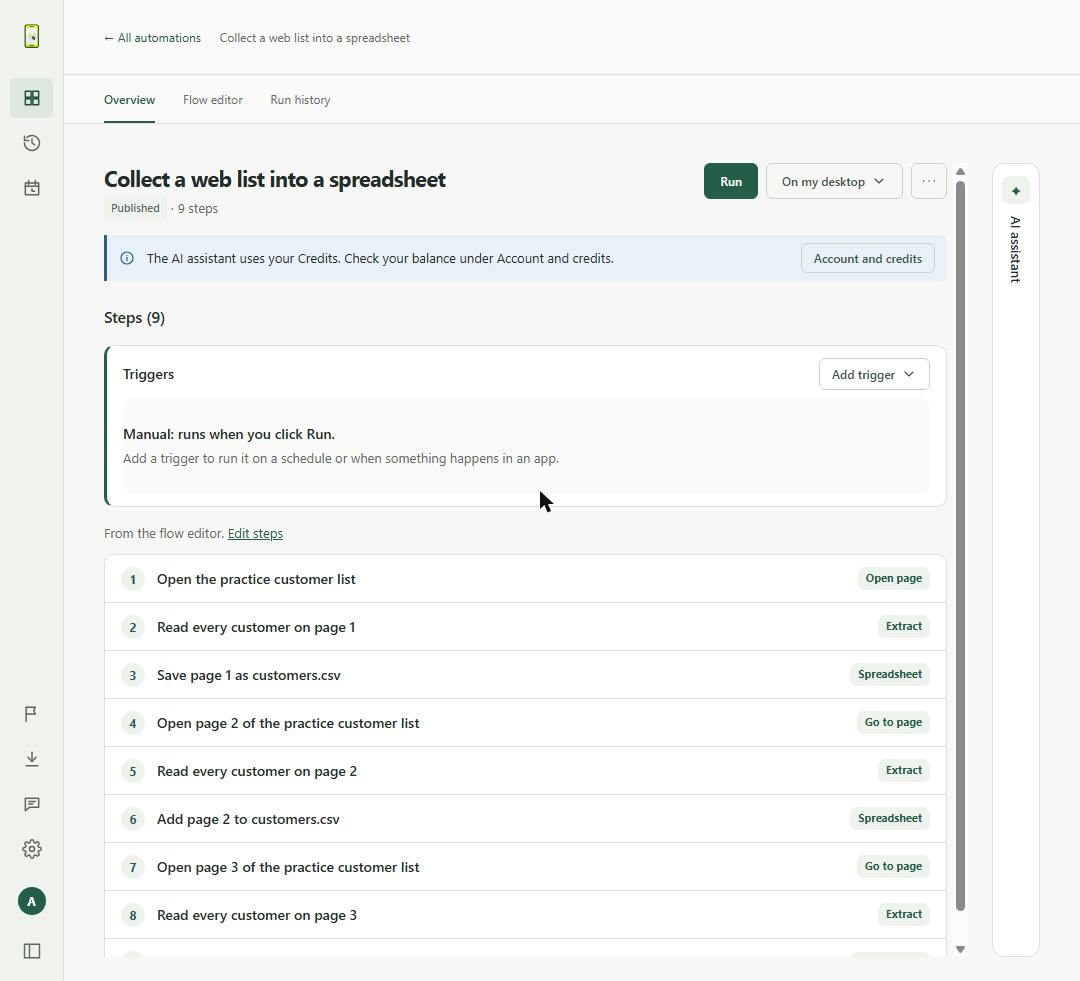
Open the ready-made automation, run it in AIVane Cloud and download customers.csv. It reads all three pages of AIVane's public practice list and saves 30 fictional customers to one file.
Choose Try it in your browser on this page and sign in or create your free account. AIVane copies the automation Collect a web list into a spreadsheet into My automations and opens it. Its nine steps open each page of AIVane's public practice customer list, read every customer and add the rows to customers.csv.
02
Run it in AIVane Cloud
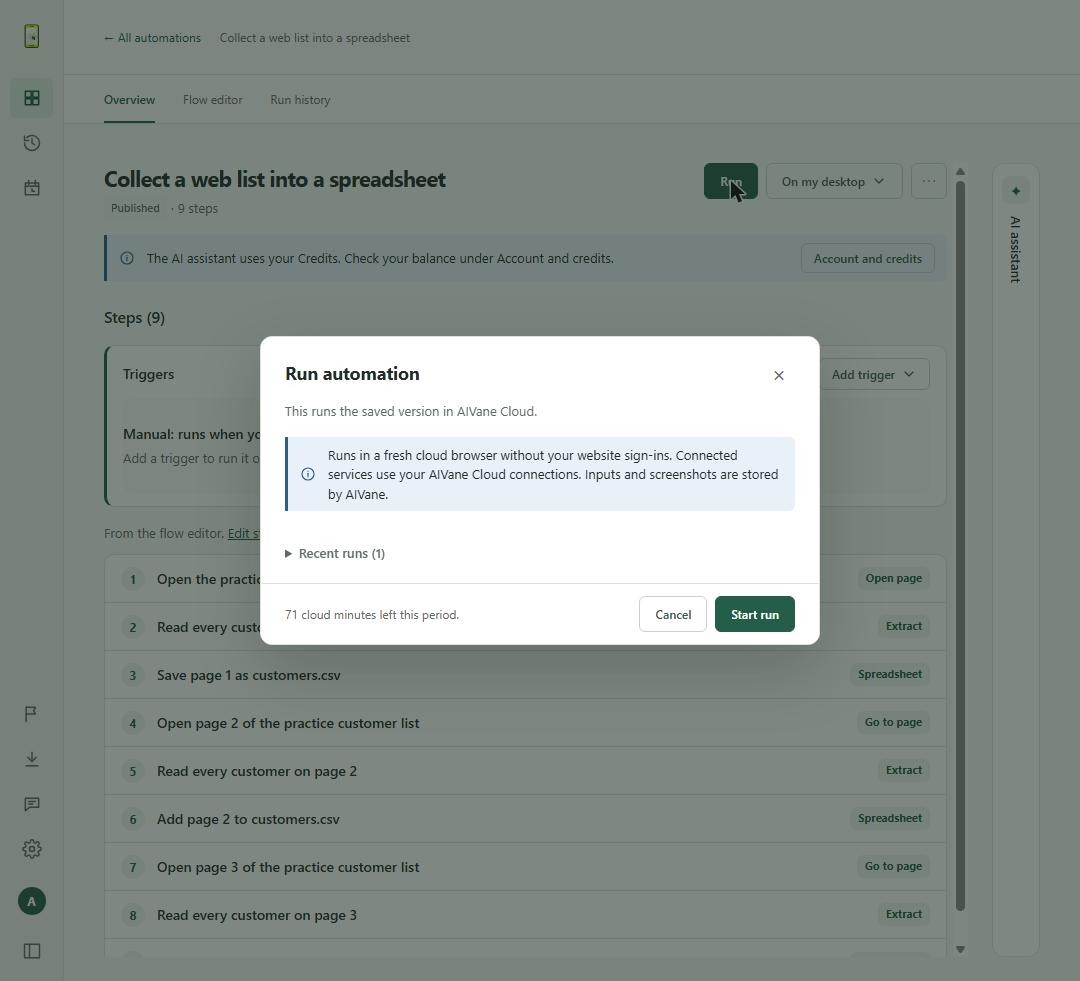
Choose Run. The dialog says it runs the saved version in AIVane Cloud, in a fresh cloud browser without your website sign-ins, and shows how many cloud minutes you have left. Choose Start run. The run takes about 20 seconds and your computer can stay off.
Tip: A run uses AIVane Cloud time: this one used 27 seconds. If you run out, the plans page lists the monthly cloud time of each plan.
03
Download customers.csv
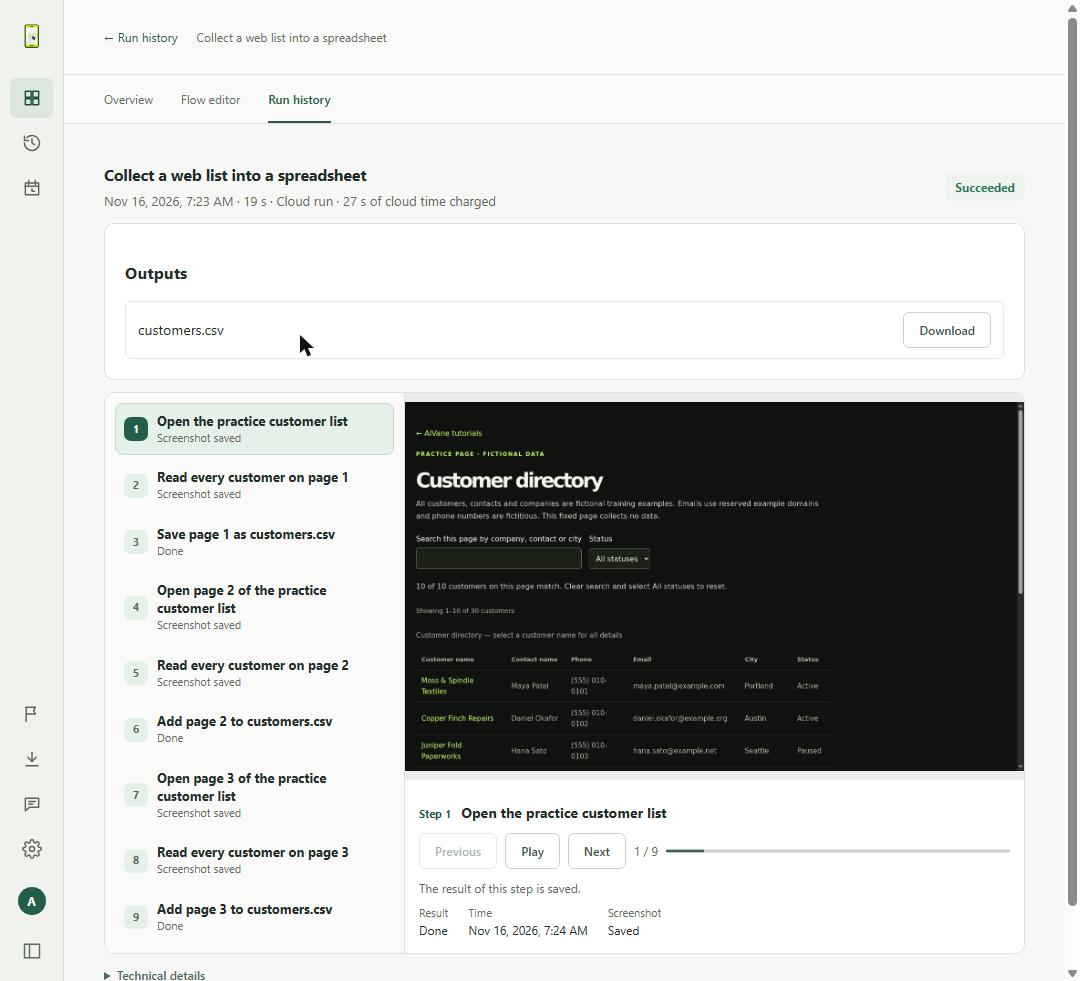
Open Run history and select the run. When its status is Succeeded, the Outputs section lists customers.csv with a Download button. The file has a header row and one row for each of the 30 customers, with their name, contact, phone, email, city and status. Select a step in the list to see the page it read.
Questions
Does my computer have to be on?
No. The run happens in AIVane Cloud, in a cloud browser, so your computer can be off while it runs.
Do I need AI every time it runs?
No. AI builds and changes automations. A saved run repeats the same steps without asking AI again, unless you add an AI step yourself.
Can I collect my own website's list instead?
This ready-made automation reads AIVane's public practice list, which has fictional data. To collect your own list, use the desktop app: choose Create, then Describe a task, and give the list's address as the Start page.
How long are the results kept?
Results and screenshots of cloud runs are kept on AIVane's servers for 30 days, so download customers.csv when you need it.
Can I send the rows to Google Sheets instead?
Yes. The use case Collect every page of a web list into a Google Sheet has a ready-made automation that writes the same list to your own Google Sheet in AIVane Cloud.
Related use cases
IN YOUR BROWSER · WINDOWS DESKTOP APP
Collect every page of a web list into a Google Sheet
Open the ready-made automation, choose your Google Sheet and run it in AIVane Cloud. It reads all three pages of AIVane's public practice list and writes 30 fictional customers to your sheet, replacing the rows from the last run.
Keep supplier prices and stock in a Google Sheet and get a Slack alert when they change
Each run reads SKU, product, unit price and stock from every page of the supplier list, compares them with the list your Google Sheet kept from the last run, posts the changed items to your Slack channel and saves the current list for next time.
 AIVane