 AIVane
Collect every page of a web list into a CSV file
Open the ready-made automation, run it in AIVane Cloud and download customers.csv. It reads all three pages of AIVane's public practice list and saves 30 fictional customers to one file.
See how ↗USE CASE · IN YOUR BROWSER · WINDOWS DESKTOP APP
Open the ready-made automation, choose your Google Sheet and run it in AIVane Cloud. It reads all three pages of AIVane's public practice list and writes 30 fictional customers to your sheet, replacing the rows from the last run.
At https://app.aivane.net open Settings, then Connections, and choose Connect Google Sheets. Google's consent page asks only for the spreadsheets you choose or that AIVane creates. When the connection shows Ready, choose Choose existing spreadsheet and pick the sheet to fill in Google's window. Copy the sheet's address from Google Sheets; you paste it in the next step.
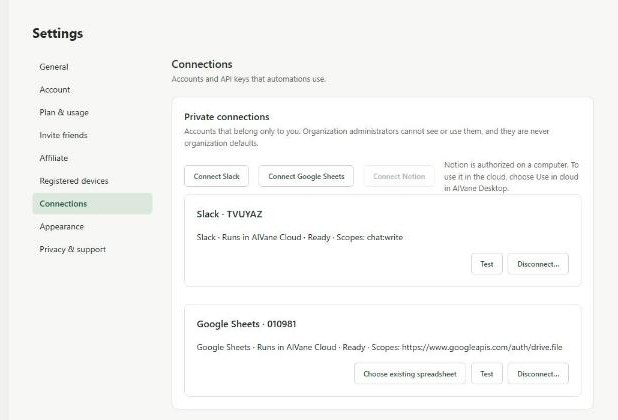
Tip: AIVane can open only spreadsheets you chose there or that it created, so a sheet you did not choose cannot be written by mistake.
Choose Try it in your browser on this page. AIVane copies the automation Collect a web list into Google Sheets into My automations and opens it. Its nine steps open each page of AIVane's public practice customer list, read every customer, put the three pages together and write them to your sheet. Choose Run, paste your sheet's address into spreadsheet, check that your Google Sheets connection is selected under Connections and choose Start run.
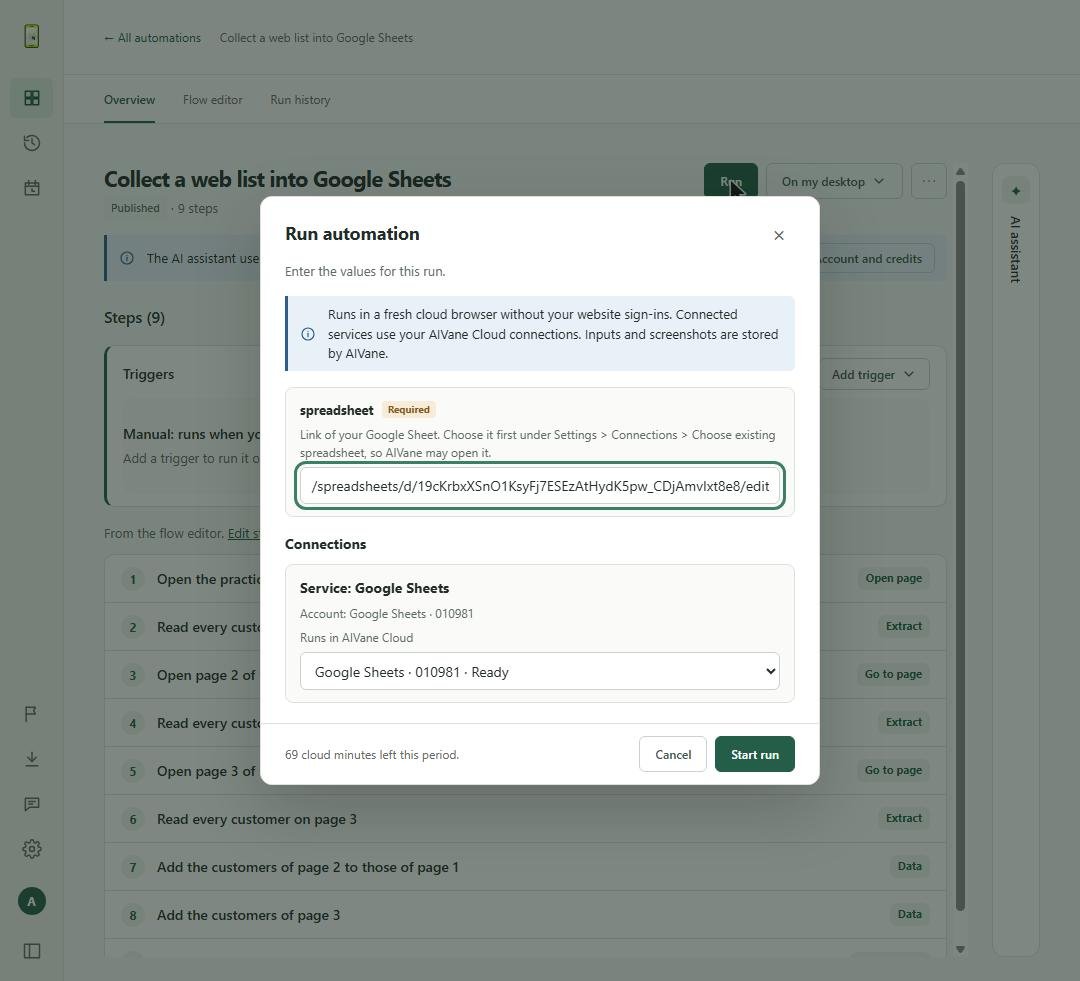
Tip: The run takes about half a minute in a fresh cloud browser, so your computer can be off.
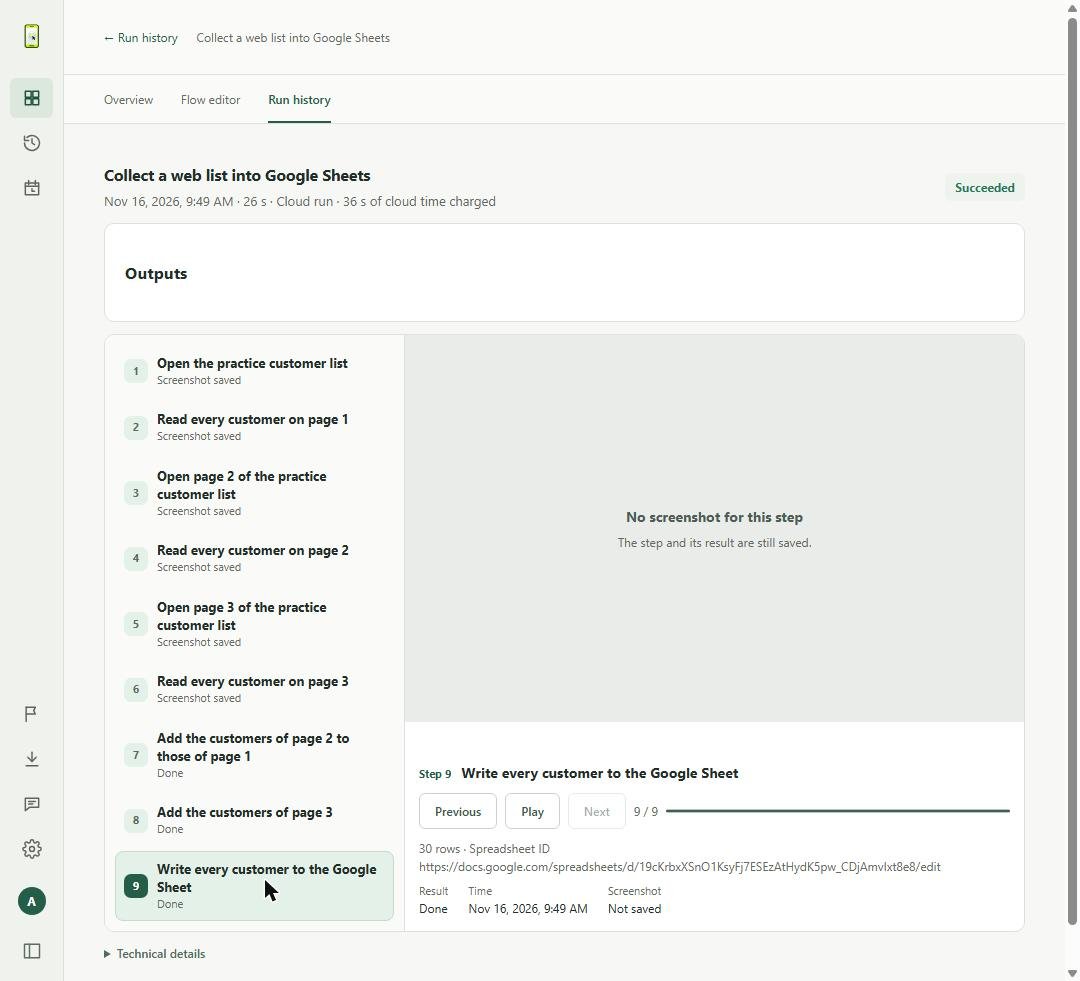
Open Run history and select the run. When its status is Succeeded, select the last step, Write every customer to the Google Sheet: it shows 30 rows and the link of your sheet. Select an earlier step to see the page it read.
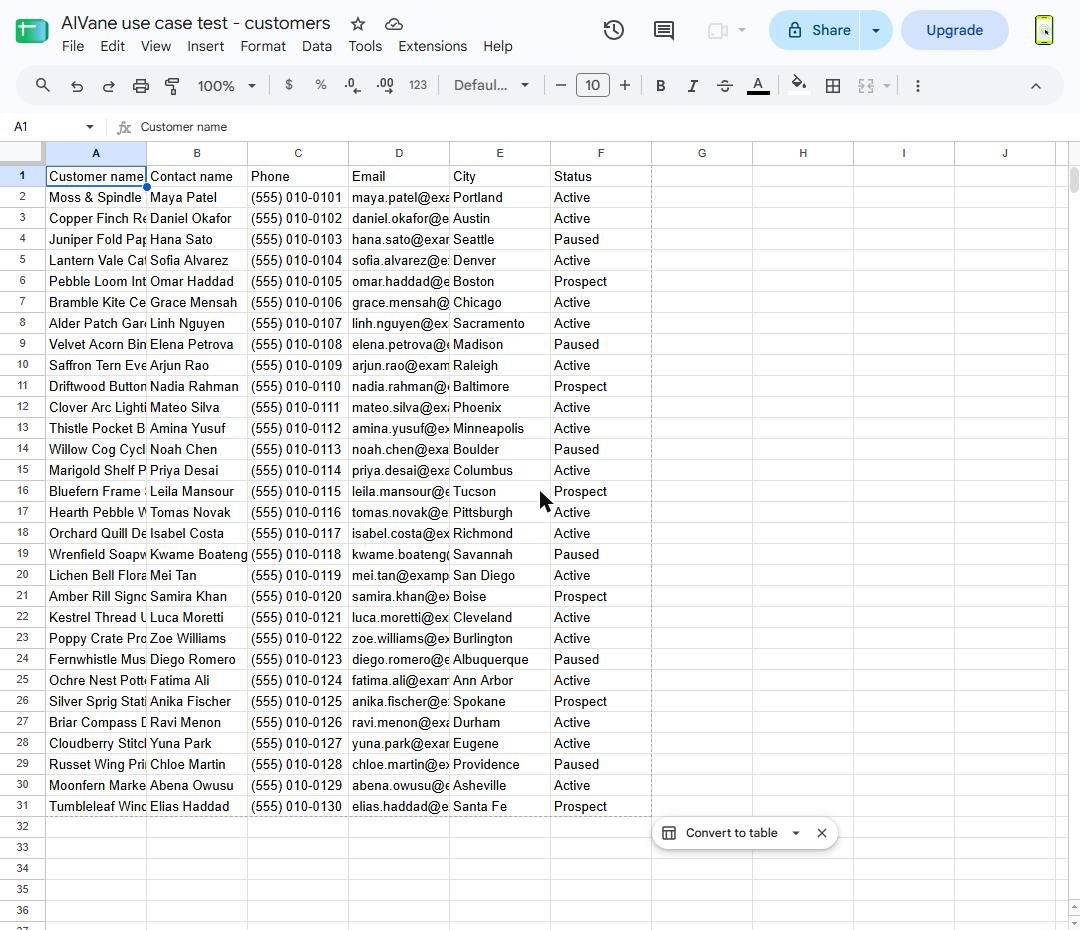
Your sheet now has a header row and one row for each customer: Customer name, Contact name, Phone, Email, City and Status. Each new run replaces these rows with the current list.
No. The run happens in AIVane Cloud, in a cloud browser, so your computer can be off while it runs.
No. AI builds and changes automations. A saved run repeats the same steps without asking AI again, unless you add an AI step yourself.
Yes. Each cloud run uses AIVane Cloud time; the verified run of this automation used 36 seconds. The plans page lists the monthly cloud time of each plan.
Only spreadsheets you choose in Google's window or that AIVane created with your connection.
This ready-made automation reads AIVane's public practice list, which has fictional data. To collect your own list, change the page addresses and the columns in the Flow editor, or build it in the desktop app with Create, then Describe a task.
The run stops at the step that no longer matches and reports it in Run history. Change the step in the Flow editor and run it again.
Our first users can ask for hands-on help: one website task, one sheet, and a week of watching it run.
Get help automating this taskLast verified 2026-11-16 with the AIVane web workspace at app.aivane.net (backend 5f5941ea0).